Container platform
Comprehensive guide to using Docker containers with idmtools for reproducible simulations.
Overview
The Container Platform allows the use of Docker containers and the ability to run jobs locally. This platform
leverages Docker's containerization capabilities to provide a consistent and isolated environment for running
computational tasks. The ContainerPlatform is responsible for managing the creation, execution, and cleanup of
Docker containers used to run simulations.
Key features
- Docker Integration: Ensures that Docker is installed and the Docker daemon is running before executing any tasks.
- Experiment and Simulation Management: Provides methods to run and manage experiments and simulations within Docker containers.
- Volume Binding: Supports binding host directories to container directories, allowing for data sharing between the host and the container.
- Container Validation: Validates the status and configuration of Docker containers to ensure they meet the platform's requirements.
- Script Conversion: Converts scripts to Linux format if the host platform is Windows, ensuring compatibility within the container environment.
- Job History Management: Keeps track of job submissions and their corresponding container IDs for easy reference and management.
- Minimal Docker image: Requires only Linux OS, Python 3, and mpich installed in the Docker image. ContainerPlatform binds the host directory to the container directory for running the simulation.
- Flexible simulation directory: Customize the simulation output folder structure by including/excluding suite, experiment, or simulation names in the path.
Prerequisites
- Docker installed and Docker daemon running
- Linux, or Windows with WSL2
- Python 3.10+ (64-bit)
Set up a virtual environment
1 2 3 4 5 6 7 | |
Install idmtools
1 | |
Windows-specific setup
Enable Developer Mode — required for Docker to create symlinks inside containers:
Settings → Update & Security → For Developers → Select Developer Mode
Enable long path support (if paths exceed 255 characters):
Local Computer Policy → Computer Configuration → Administrative Templates → System → Filesystem → Enable Win32 long paths
ContainerPlatform attributes
| Attribute | Description |
|---|---|
job_directory |
The directory where job data is stored. |
docker_image |
The Docker image to run the container. |
extra_packages |
Additional packages to install in the container. |
data_mount |
The data mount point in the container. |
user_mounts |
User-defined mounts for additional volume bindings. |
container_prefix |
Prefix for container names. |
force_start |
Flag to force start a new container. |
new_container |
Flag to start a new container. |
include_stopped |
Flag to include stopped containers in operations. |
debug |
Flag to enable debug mode. |
container_id |
The ID of the container being used. |
max_job |
The maximum number of jobs to run in parallel. |
retries |
The number of retries to attempt for a job. |
ntasks |
Number of MPI processes. If greater than 1, it triggers mpirun. |
Basic usage
Create a Python file named example_demo.py and add the following code:
1 2 3 4 5 6 7 8 9 10 11 12 13 14 15 16 17 | |
Run on your host machine:
1 | |
Output
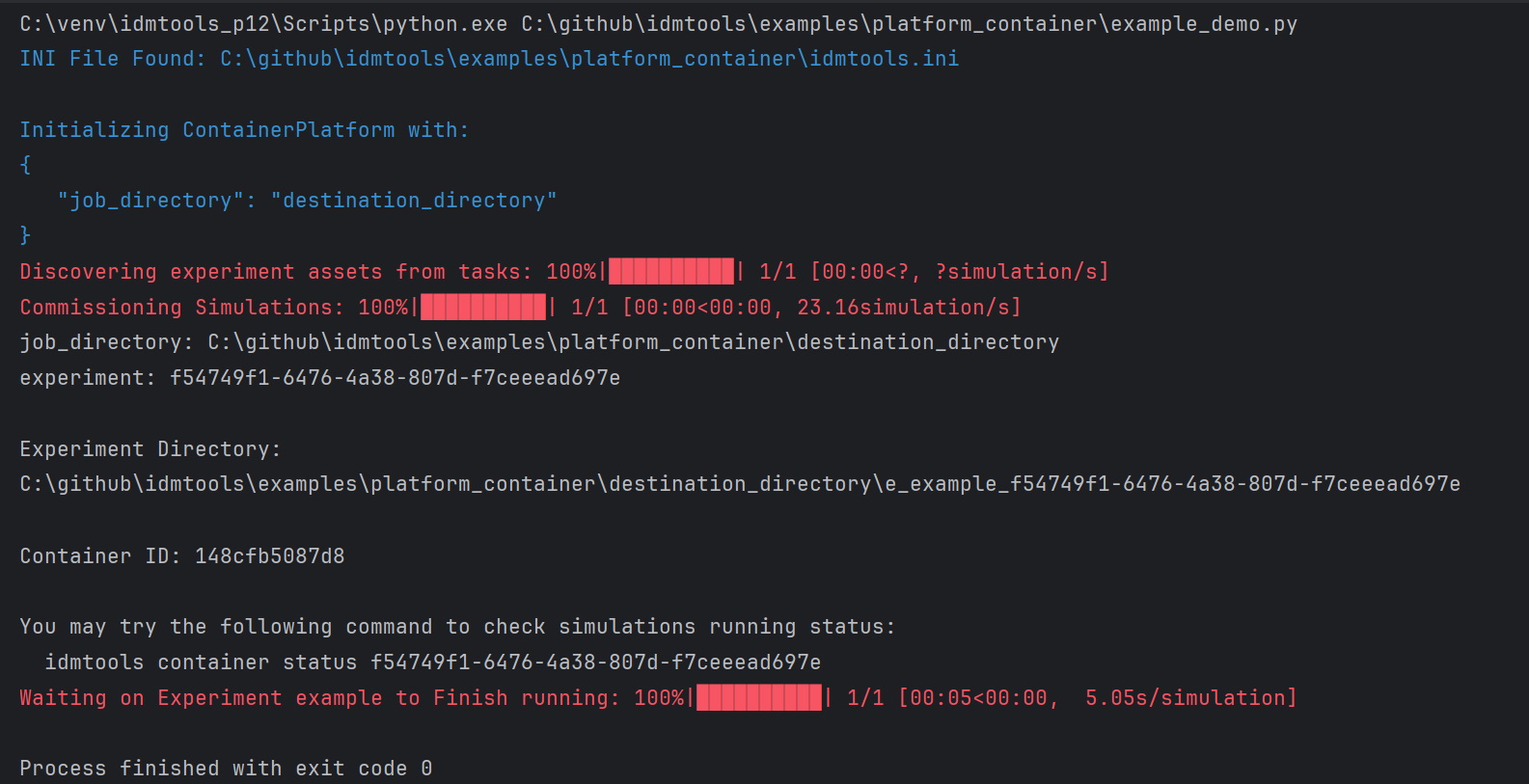
Results saved in the destination_directory on the host machine:
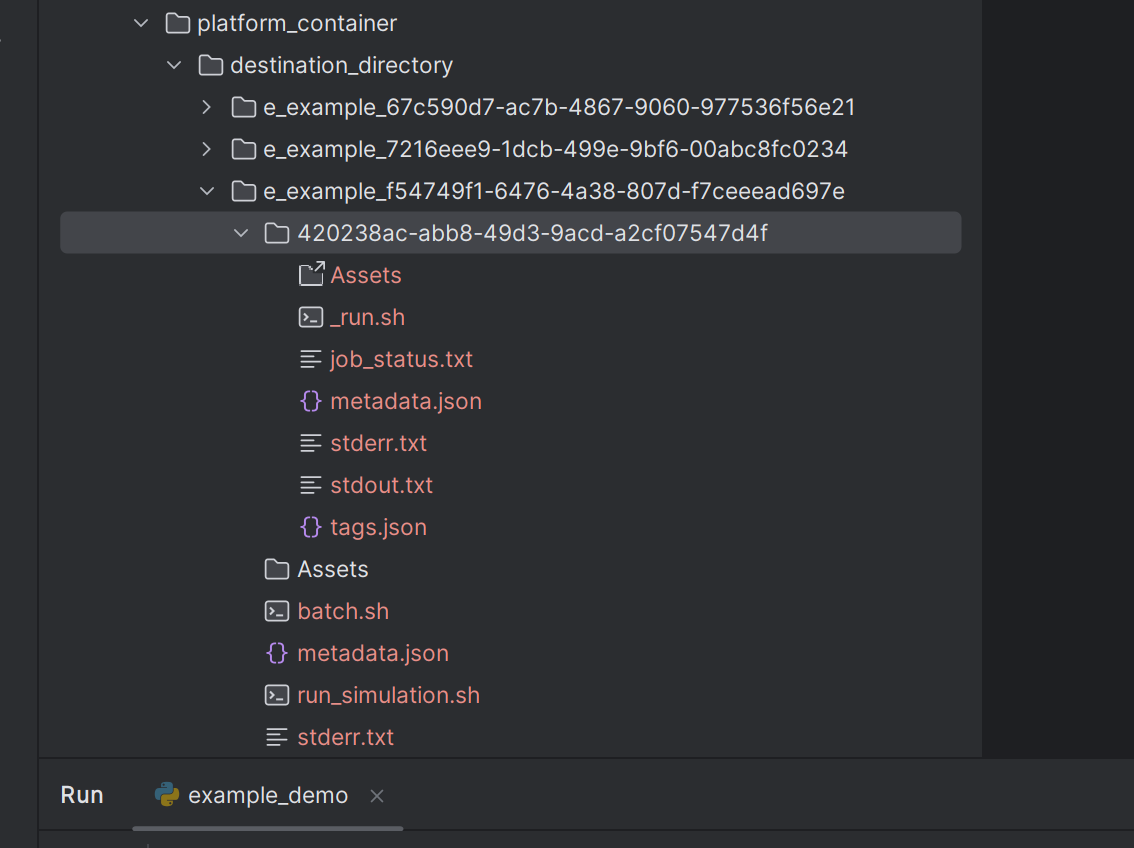
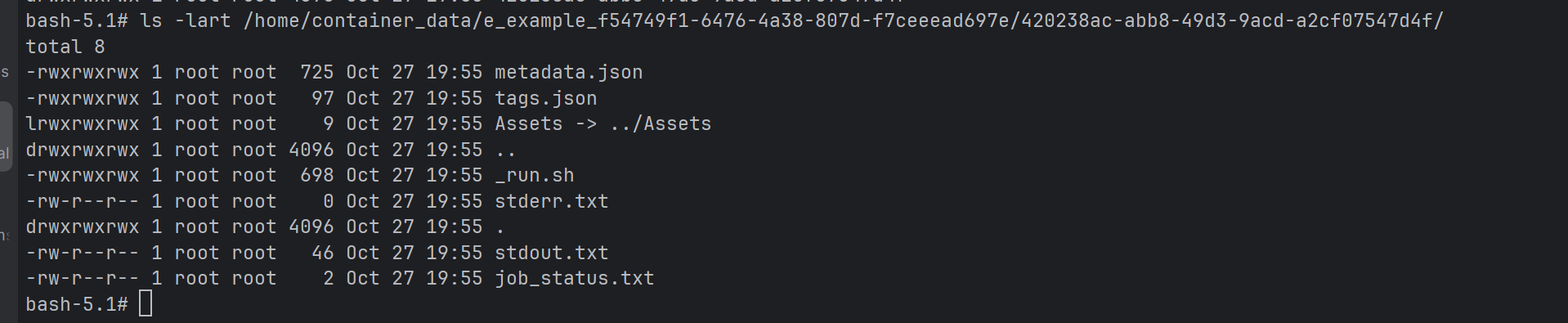
Results inside the Docker container:
Attribute examples
extra_packages
Install additional packages into the container at runtime:
1 2 3 4 5 6 7 8 9 10 11 12 13 14 15 16 17 18 | |
new_container
Force a new container to be created for each experiment:
1 2 | |
docker_image
Use a specific Docker image:
1 2 3 | |
force_start
Force start a new or stopped container:
1 2 | |
user_mounts
Mount additional host directories into the container:
1 2 3 4 5 6 7 8 | |
data_mount
Use a custom data mount point instead of the default /home/container-data:
1 2 | |
container_prefix
Add a prefix to container names:
1 2 | |
retries
Retry failed jobs automatically:
1 2 3 4 | |
Folder structure
By default, idmtools generates simulations with the following structure:
1 | |
job_directory— base directory for all outputs_<suite_name>_<uuid>— suite directory (name truncated to 30 characters, prefixed withs_)e_<experiment_name>_<uuid>— experiment directory (name truncated to 30 characters, prefixed withe_)<simulation_uuid>— simulation directory (UUID only)
If no suite is specified:
1 | |
Example — given suite name my_very_long_suite_name_for_malaria_experiment and experiment name test_experiment_with_calibration_phase:
1 2 3 4 | |
No-suite case:
1 2 3 | |
You can customize the folder structure in idmtools.ini:
name_directory = False— exclude suite and experiment names from the pathsim_name_directory = True— include the simulation name in the path
Results inside the container are at /home/container-data/<suite_path>/<experiment_path>/<simulation_path>.
Windows path length
Windows has a 255-character path limit. If needed, enable long path support via the Windows Group Policy Editor.
Docker image
The default Docker image for ContainerPlatform is based on Rocky Linux 9.2 and includes:
- Python 3.9
- mpich 4.1.1
- numpy, pandas, scipy, matplotlib, and other common libraries for science community
The image is automatically built and published via GitHub Actions. You do not need to build it yourself.
To use a specific image:
1 2 | |
Extend the Docker image
To build a custom image based on the default runtime:
1 2 3 4 | |
Build it and use it:
1 | |
Build and publish (developers only)
1 2 3 4 5 | |
Docker utilities
The docker_operations.py module provides utilities to manage Docker containers within ContainerPlatform.
Key functions
| Function | Description |
|---|---|
validate_container_running(platform) |
Checks daemon, finds or starts a container |
get_container(container_id) |
Retrieves a container object by ID |
find_container_by_image(image) |
Finds containers matching a given image |
stop_container(container, remove=True) |
Stops and optionally removes a container |
stop_all_containers(containers) |
Stops all specified containers |
restart_container(container) |
Restarts a container |
is_docker_installed() |
Checks if Docker is installed |
is_docker_daemon_running() |
Checks if the Docker daemon is running |
check_local_image(image_name) |
Checks if an image exists locally |
pull_docker_image(image_name) |
Pulls an image from the registry |
list_running_jobs(container_id) |
Lists running jobs on a container |
find_running_job(item_id) |
Finds a running job by item ID |
Example
1 2 3 4 5 6 7 8 9 10 11 12 | |
Limitations
Unsupported features
- WorkItem is not supported on the Container Platform.
-
AssetCollection creation or referencing an existing
AssetCollectionis not supported. If migrating from COMPS, remove code like:1 2
# Remove this when using Container Platform asset_collection = AssetCollection.from_asset_collection_id('50002755-...') -
Singularity is not needed with Container Platform. If migrating from COMPS, remove Singularity setup code:
1
2
# Remove this when using Container Platform
emod_task.set_sif(sif_path)
Next steps
- Tutorials - More detailed tutorials
- User Guide - General concepts
- Platform Comparison - Compare available platforms